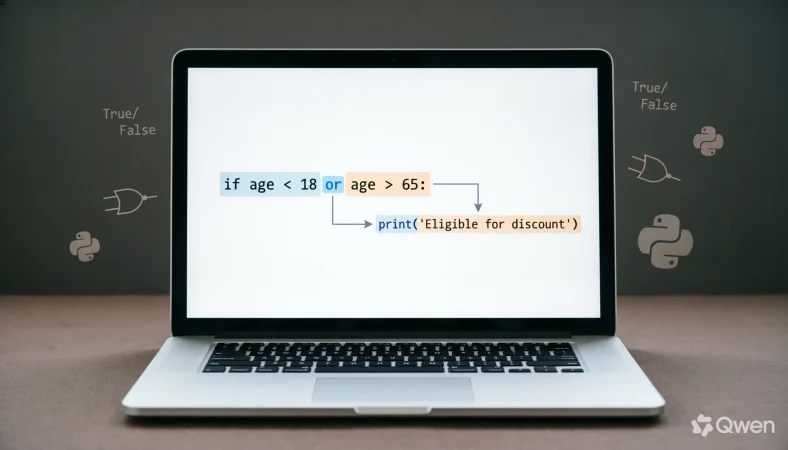
The or in python operator is a logical operator that evaluates multiple conditions and returns a result based on whether at least one condition is truthy. Python uses the keyword or to express alternatives, combine conditions, and provide fallback values when an earlier value is false or otherwise considered false.
Understanding or in python is essential for anyone learning conditional statements, Boolean logic, comparisons, and practical programming. The operator looks simple, but beginners often misunderstand how Python evaluates it, especially when several conditions appear in one expression.
In everyday language, “or” usually means one choice instead of another. Python’s or has a related idea, but its behavior is more precise. It can evaluate operands using truth value testing, stop evaluating once the result is known, and return one of the original operands rather than always returning True or False.
That last point is especially important. Consider:
name = username or “Guest”
This does more than ask whether username is true. If username contains a truthy value, Python returns that value. If it contains a falsy value, Python returns “Guest”.
For beginners, learning this distinction early can prevent confusing results later.
What Does or Mean in Python?
In Python, or is a logical operator used to connect expressions or values. It generally evaluates from left to right and stops when it encounters a truthy operand.
A simple conditional example looks like this:
age = 20
if age < 18 or age > 65:
print(“Special age group”)
The expression contains two conditions:
age < 18
and:
age > 65
The or operator asks whether at least one condition is true.
For someone aged 20, both conditions are false, so the complete expression evaluates as false.
For someone aged 70, the first condition is false but the second is true. Because at least one condition is true, the complete logical expression evaluates as true.
This makes or useful whenever a program should take an action when one condition or another condition is satisfied.
Basic Syntax
The general pattern is:
condition1 or condition2
You can also combine more expressions:
condition1 or condition2 or condition3
Python evaluates these expressions from left to right.
Simple Example
temperature = 35
if temperature < 0 or temperature > 30:
print(“Extreme temperature”)
Here, the program prints the message because the second condition is true.
or vs and: What’s the Difference?
The most important comparison for beginners is between or and and.
The or operator produces a truthy result when at least one operand is truthy. The and operator requires all relevant operands to be truthy before the complete expression becomes truthy.
| Operator | Basic meaning | Example | Result |
| or | At least one operand can be truthy | True or False | True |
| and | Both operands must be truthy | True and False | False |
| or | Stops after finding a truthy operand | True or value | True |
| and | Stops after finding a falsy operand | False and value | False |
Consider:
is_student = True
is_senior = False
if is_student or is_senior:
print(“Eligible”)
The result is true because is_student is true.
Now change the expression:
if is_student and is_senior:
print(“Eligible”)
The result is false because is_senior is false.
A useful mental shortcut is simple:
Use or when one acceptable condition is enough.
Use and when multiple conditions must hold together.
Is or in Python a Grammar, Vocabulary, or Usage Issue?
For programming, this is primarily a syntax and logic issue.
The word or is an English conjunction, but Python gives it a specific programming meaning. It is one of Python’s Boolean operators, alongside and and not.
You cannot replace or with ordinary English words inside Python code.
For example, this is valid:
if age < 18 or age > 65:
print(“Outside the standard range”)
But this is not valid Python:
if age < 18 otherwise age > 65:
print(“Outside the standard range”)
Python’s syntax must follow the language’s rules.
The distinction also matters because Python’s or does not always return a Boolean value. This surprises many beginners.
Consider:
result = 10 or 20
print(result)
The output is:
10
Python does not automatically convert the entire expression into True. Instead, it returns the first truthy operand.
That behavior makes or useful for fallback expressions as well as ordinary Boolean conditions.
How Python Evaluates or
Python evaluates or from left to right.
Suppose you write:
result = first or second
Python first examines first.
If first is truthy, Python returns first and does not need to evaluate second.
If first is falsy, Python evaluates and returns second.
For example:
value = “Python” or “Java”
print(value)
The result is:
Python
The first value is truthy, so Python uses it.
Now consider:
value = “” or “Python”
print(value)
The empty string is falsy, so Python uses “Python”.
This behavior is called short circuit evaluation.
It is one of the most useful features of logical operators in Python.
Truthy and Falsy Values With or
To understand or, you need to understand truthiness.
Python considers several common values falsy, including:
False
None
0
0.0
“”
[]
{}
()
set()
Many other objects are truthy.
For example:
if “hello”:
print(“Truthy”)
The message appears because a nonempty string is truthy.
Similarly:
if [1, 2, 3]:
print(“Truthy”)
The list is truthy because it contains elements.
This affects or directly:
result = “” or “Default”
The empty string is falsy, so the result is “Default”.
Another example:
numbers = [] or [1, 2, 3]
print(numbers)
The empty list is falsy, so Python selects the second operand.
Practical Uses of or in Python
The or operator appears in many real programs. It can combine conditions, select alternatives, provide fallback values, and simplify certain expressions.
Combining Conditions
One common use is checking whether any of several conditions is satisfied.
day = “Saturday”
if day == “Saturday” or day == “Sunday”:
print(“Weekend”)
The program prints:
Weekend
because the first comparison is true.
Providing a Default Value
Another common pattern is:
username = user_input or “Guest”
If user_input contains a nonempty string, Python uses it. If it is empty, Python uses “Guest”.
This can make simple fallback logic concise.
Selecting Between Values
You can write:
preferred_name = nickname or full_name
If nickname is available and truthy, it becomes the preferred value. Otherwise, Python uses full_name.
Checking Multiple Possibilities
You can use or with comparisons:
status = “pending”
if status == “pending” or status == “processing”:
print(“Work is underway”)
This checks two possible states.
Workplace Examples of or in Python
Python is widely used for automation, data processing, testing, reporting, and business applications.
Suppose a workplace system accepts either an employee ID or an email address:
identifier = employee_id or email
If the employee ID is available, Python uses it. Otherwise, it falls back to the email.
Another example involves a notification system:
if email_enabled or sms_enabled:
print(“Notification available”)
The system only needs one communication method to be enabled.
This type of logic appears frequently in business software because applications often have several acceptable alternatives.
Usage Recap
Use or when different conditions or values represent acceptable alternatives.
Academic Examples of or in Python
Students frequently use or when working with mathematical conditions, data analysis, algorithms, and introductory programming exercises.
For example:
score = 92
if score < 50 or score > 90:
print(“Outside the middle range”)
The condition becomes true because the score is greater than 90.
Another example checks whether a number belongs to one of two categories:
number = 7
if number == 5 or number == 7:
print(“Accepted”)
This is clearer than writing separate conditional statements for each acceptable value.
In academic programming, readability matters. When the conditions are simple, or often communicates the intended logic clearly.
Technology Examples of or in Python
Technology systems frequently need fallback behavior.
For example:
language = preferred_language or “English”
If a user has not selected a preferred language, the program uses English.
Another example might choose a configured server:
server = primary_server or backup_server
If the primary server value is missing or falsy, the backup value becomes the result.
This illustrates why understanding Python’s return behavior matters. The operator is not limited to expressions that produce True or False.
When You Should NOT Use or in Python
Although or is useful, it is easy to misuse.
1. Do Not Repeat the Variable Unnecessarily
A common beginner mistake is:
if color == “red” or “blue”:
print(“Valid”)
This does not check whether color equals “blue”.
A correct version is:
if color == “red” or color == “blue”:
print(“Valid”)
An even cleaner approach is often:
if color in (“red”, “blue”):
print(“Valid”)
2. Do Not Assume or Always Returns True
Consider:
result = 5 or 10
The result is 5, not True.
3. Do Not Use or When Every Condition Must Be True
If two requirements must both be satisfied, and is normally appropriate.
4. Do Not Ignore Operator Precedence
Expressions containing several logical operators can become difficult to read.
For clarity, use parentheses when necessary:
if (age >= 18 and verified) or admin:
print(“Access granted”)
5. Do Not Use or for Every Type of Alternative
For multiple possible values, membership testing can be clearer:
if color in {“red”, “blue”, “green”}:
print(“Valid color”)
Common Mistakes and Decision Rules
| Correct sentence | Incorrect sentence | Explanation |
| if x == 1 or x == 2: | if x == 1 or 2: | The second expression must explicitly compare x. |
| if age < 18 or age > 65: | if age < 18 and age > 65: | and requires both impossible range conditions here. |
| name = value or “Guest” | `name = value | |
| if ready or approved: | if ready, approved: | A comma does not create logical OR behavior. |
| if x in (“a”, “b”): | if x == “a” or “b”: | Membership testing clearly checks multiple possible values. |
Decision Rule
- If any one of several conditions is sufficient, consider or.
- If all conditions must be satisfied, use and.
- If you need a fallback value, or can select the first truthy option.
or in Modern Technology and AI Tools
Python plays an important role in data science, automation, machine learning, artificial intelligence, web development, and software testing.
Within these applications, or remains a fundamental language feature.
AI generated Python code also frequently uses or for fallback values and conditional logic. For example:
model_name = config.get(“model”) or “default_model”
This expression first attempts to obtain a configured model name. If that value is missing or otherwise falsy, the fallback value is selected.
However, AI generated code still needs human review. A generated expression may technically run while expressing the wrong business logic.
For example:
if role == “admin” or “manager”:
looks reasonable to a beginner but does not test both roles correctly.
The correct form is:
if role == “admin” or role == “manager”:
Modern programming tools can generate syntax quickly, but understanding Boolean logic remains essential for checking whether the generated code actually does what you intended.
Short Etymology and Language Background
The Python keyword or comes directly from ordinary English usage.
Python’s designers selected readable English keywords for several fundamental operations. Words such as and, or, and not make logical expressions resemble natural language.
This contributes to Python’s reputation for readable syntax.
In English:
You can choose tea or coffee.
In Python:
drink == “tea” or drink == “coffee”
The programming expression translates the same basic idea into a formal logical structure.
The important difference is that Python applies exact evaluation rules to the keyword.
Expert Style Perspective
“Use or when alternatives are acceptable, but always understand what Python considers truthy.”
That principle captures the most important lesson for beginners. Learning the keyword’s definition is easy. Understanding its evaluation behavior is what makes someone more confident with Python conditions.
A programmer who understands truthiness, short circuit evaluation, and operand return values can use or much more effectively.
Two Practical Case Studies
Case Study 1: Default User Input
Imagine a registration program that asks users for a display name.
display_name = entered_name or “Guest”
Suppose the user enters:
Maria
The result is:
Maria
If the user submits an empty string, the result becomes:
Guest
The concrete result is a simple fallback without requiring a longer conditional statement.
This pattern can be useful in forms, configuration systems, command line programs, and data processing scripts.
Case Study 2: Multiple Access Conditions
Consider a system where access is allowed to administrators or verified employees:
if is_admin or is_verified_employee:
print(“Access granted”)
If is_admin is true, access is granted.
Also If is_admin is false but is_verified_employee is true, access is also granted.
If both are false, access is denied.
The concrete result is that the program accepts either valid authorization path.
This is exactly the type of situation where or communicates the business rule naturally.
Error Prevention Checklist
Always use or when
- ☑ At least one condition can satisfy the requirement.
- ☑ Several values represent acceptable alternatives.
- ☑ You need a fallback based on truthiness.
- ☑ You want Python to stop evaluating after finding a truthy operand.
- ☑ Your logic genuinely represents an alternative relationship.
Never assume or
- ☑ Always returns True.
- ☑ Automatically repeats a comparison.
- ☑ Works like the || operator found in some other programming languages.
- ☑ Means that every condition must be true.
- ☑ Checks multiple values when only the first operand contains the comparison.
A particularly important rule is this:
x == “red” or x == “blue”
is correct.
x == “red” or “blue”
does not mean the same thing.
Related Python Concepts You Should Master
Once you understand or, several related topics become much easier.
1. and
Learn how Python combines requirements that must all be satisfied.
2. not
Understand how Python reverses the truth value of an expression.
3. Boolean Values
Learn the difference between True and False.
4. Truthiness
Understand why values such as empty strings, zero, and empty collections are falsy.
5. Conditional Statements
Practice using if, elif, and else.
6. Comparison Operators
Learn ==, !=, <, >, <=, and >=.
7. Operator Precedence
Understand how Python determines the order in which complex expressions are evaluated.
8. Membership Testing
Learn how in can simplify checks involving several possible values.
9. Short Circuit Evaluation
Understand why Python sometimes does not evaluate the expression on the right side.
10. Conditional Expressions
Learn how Python can choose between values using compact conditional syntax.
Mastering these concepts creates a strong foundation for writing reliable Python conditions.
FAQs
What does or mean in Python?
The or keyword is a logical operator that evaluates alternatives from left to right. It can return the first truthy operand or, when earlier operands are falsy, the final operand.
How do you use or in Python?
Use or between expressions or values:
if condition1 or condition2:
print(“Accepted”)
The expression is considered truthy when at least one relevant operand is truthy.
What is the difference between or and and in Python?
or represents alternatives, while and represents combined requirements. With or, one truthy operand can determine the result. With and, Python continues until it finds a falsy operand or reaches the final operand.
Does Python or return True or False?
Not necessarily. Python’s or operator returns one of its operands. For example:
result = 5 or 10
produces 5, not True.
What is short circuit evaluation in Python?
Short circuit evaluation means Python can stop evaluating an expression when the remaining values cannot change the result. With or, Python stops when it finds a truthy operand.
Why does if x == “a” or “b” not work correctly?
Because Python interprets the expression as two separate expressions:
x == “a”
and:
“b”
Since a nonempty string is truthy, the overall condition can behave unexpectedly. Write:
if x == “a” or x == “b”:
instead.
Can or be used for default values in Python?
Yes. A common pattern is:
value = user_value or default_value
If user_value is truthy, Python selects it. Otherwise, Python selects the default value.
What values are considered false in Python?
Common falsy values include False, None, numeric zero, empty strings, empty lists, empty dictionaries, empty tuples, and empty sets. Most other values are truthy.
Is or a Boolean operator in Python?
Yes. or is one of Python’s logical Boolean operators. However, unlike a simple Boolean result, it can return one of its original operands.
Conclusion:
The or operator is one of the most useful fundamentals in Python. It lets you express alternatives, combine conditions, create fallback values, and take advantage of short circuit evaluation.
The basic idea is straightforward: when one acceptable condition is enough, or is often the right tool.
The deeper concept is Python’s truth value testing. or does not simply return True or `False. It evaluates operands from left to right and returns the first truthy operand, or the final operand when earlier values are falsy.
Remember the most important distinction:
if condition1 or condition2:
means that either condition can satisfy the requirement.
For multiple possible values, you can also use membership testing:
if value in (“red”, “blue”):
And when you need every condition to hold, use and instead.
Once you understand truthiness, short circuit evaluation, comparisons, and operator precedence, or becomes much easier to use correctly. More importantly, you’ll be able to read Python code with confidence and identify logical mistakes before they cause unexpected results.