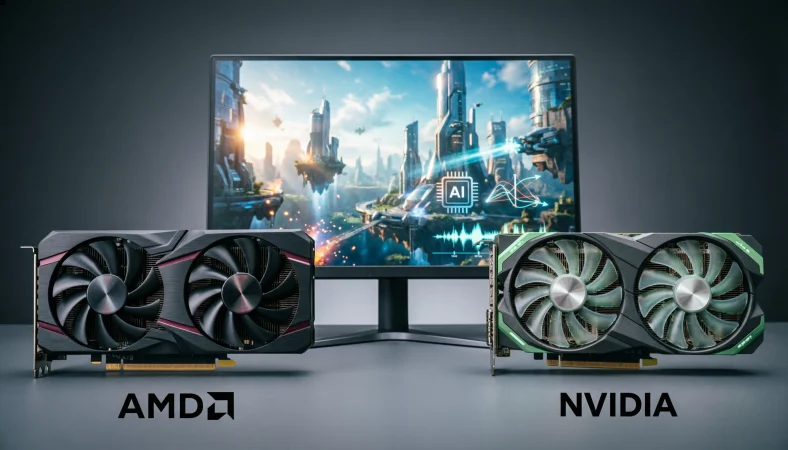
AMD and NVIDIA are both leading technology companies that develop graphics processing units (GPUs), but the better choice depends on your needs and budget. AMD often offers competitive performance and value for gaming, while NVIDIA is particularly strong in ray tracing, AI features, creative software support, and machine learning.
Both brands provide capable graphics cards, so the right option depends on your preferred games, workload, budget, and performance requirements.
Choosing between AMD or NVIDIA can be challenging, especially when both companies offer powerful graphics cards for gaming, content creation, and professional computing. Although their products serve many of the same purposes, they differ in pricing, performance, software features, power efficiency, and support for advanced technologies. Understanding these differences can help you avoid spending extra money on features you may not need.
In this guide, you will learn how AMD and NVIDIA compare in gaming performance, ray tracing, AI workloads, video editing, and overall value. We will explore their key strengths, explain which factors matter most when selecting a GPU, and discuss how to match a graphics card to your specific needs. By comparing these practical considerations, you can make a more informed decision based on your budget and intended use.
AMD vs Nvidia: What’s the Difference?
AMD and Nvidia are two major companies that design graphics processors for desktop computers, laptops, workstations, and other computing systems. Both offer GPUs for gaming and demanding workloads, but they differ in product features, software support, performance, and pricing.
What Is AMD?
AMD, short for Advanced Micro Devices, is a semiconductor company that develops processors and graphics technology. Its Radeon graphics cards compete with Nvidia GeForce products in the consumer gaming market, while its professional and data center offerings serve other computing needs.
AMD graphics cards are often considered by buyers looking for competitive rasterization performance, substantial video memory at certain price points, and good value in specific market segments. However, the actual advantage depends on the individual card, its price, and the games or applications you use.
AMD also develops Ryzen processors, so its products span both CPUs and GPUs. Still, choosing an AMD graphics card does not require you to own an AMD processor.
What Is Nvidia?
Nvidia is a semiconductor and computing company known for its GeForce graphics cards, professional GPUs, and data center accelerators. Its graphics technology supports gaming, visual effects, scientific computing, machine learning, and other demanding workloads.
Nvidia’s consumer GPUs are commonly associated with technologies such as DLSS, hardware accelerated ray tracing, and CUDA, a parallel computing platform used by many scientific and AI applications.
These technologies can make Nvidia a strong option for particular workloads. However, they do not guarantee that every Nvidia card will outperform every AMD card. GPU generation, model, price, memory capacity, and application support all matter.
AMD vs Nvidia Comparison Table
| Feature | AMD Radeon | Nvidia GeForce |
| Main consumer GPU family | Radeon | GeForce |
| Gaming performance | Competitive, depending on model | Competitive, depending on model |
| Price to performance | Often attractive in selected price ranges | Competitive, depending on model and offers |
| Upscaling technology | AMD FSR | Nvidia DLSS |
| Ray tracing | Supported, with performance varying by model | Supported, with performance varying by model |
| AI software ecosystem | Supports multiple tools and frameworks | Strong CUDA ecosystem and broad software support |
| Video memory | Varies by model | Varies by model |
| Content creation | Strong in supported applications | Strong in supported applications |
| Best choice | Depends on budget and workload | Depends on budget and workload |
Quick recap: AMD and Nvidia both make capable GPUs. AMD may be attractive for gaming value and memory capacity in particular models. Nvidia may be preferable when you need specific DLSS features, strong ray tracing performance, or software that relies on CUDA. Compare individual cards rather than choosing by brand alone.
Is AMD vs Nvidia a Technology, Performance, or Usage Issue?
The AMD vs Nvidia decision is not simply a question of which brand is better. It is a hardware and software compatibility decision shaped by the intended workload.
Are AMD and Nvidia Interchangeable?
In many desktop systems, both brands can serve the same general purpose: rendering graphics and accelerating supported workloads. A compatible motherboard and power supply may support cards from either manufacturer.
However, their features and software ecosystems are not identical. A program that relies on CUDA may favor Nvidia, while an application that supports AMD’s GPU computing tools may run well on a Radeon card. Game performance also varies with the specific GPU and the software being tested.
Before buying, check the application’s requirements, your power supply, case dimensions, display connections, and the GPU’s performance in the tasks you care about.
Professional vs Everyday Usage
For everyday computing, both brands can provide smooth desktop performance, video playback, and gaming when you select an appropriate model.
For professional workloads, the choice becomes more specific. Video editors may care about encoding support and application acceleration. Engineers may need certified drivers. AI developers may depend on particular libraries or frameworks.
A lower priced card can be the better purchase if it meets your requirements, while a more expensive card may justify its cost when its specialized features save time or enable a necessary workflow.
Academic vs Casual Usage
Students studying computer science, engineering, or data science should check which GPU frameworks their courses require. Some machine learning tutorials assume access to CUDA, making an Nvidia GPU a more straightforward local option for those workflows.
Casual gamers have more flexibility. If a game performs well on both brands and your preferred card meets your resolution and frame rate targets, price, noise, power consumption, and warranty may matter more than the manufacturer’s name.
How to Choose AMD for Your Needs
AMD can be an excellent choice when a Radeon graphics card delivers the performance, memory capacity, and features you need at a competitive price. The key is to evaluate the actual model rather than assuming that every AMD card offers better value.
Gaming Example
Imagine a gamer building a computer for 1440p gaming. Two graphics cards may deliver similar frame rates in the games the buyer plays, but one costs less or offers more video memory.
If the Radeon card meets the desired performance target and costs less, it could be the smarter purchase. The buyer should also check ray tracing performance, upscaling support, and power consumption before deciding.
Workplace Example
A small business might use a desktop computer for office work, light design tasks, and occasional video editing.
An AMD GPU may be suitable if the software supports it and the card handles the required workload without unnecessary expense. For this buyer, paying extra for features that will rarely be used may offer little practical benefit.
Academic Example
A student studying computer graphics may use a Radeon card for learning rendering concepts, developing games, or working with supported graphics applications.
Before buying, the student should check the requirements of the university’s software and development tools. Some specialized applications may offer better support for one GPU ecosystem than another.
Technology Example
A developer building a computer vision project should check whether the chosen framework supports the intended Radeon hardware and software stack. AMD offers computing technologies for supported workloads, but compatibility varies by application and operating system.
Usage recap: Consider AMD when the specific Radeon model offers the right balance of price, gaming performance, memory, and software compatibility. Confirm application support before buying for specialized work.
How to Choose Nvidia for Your Needs
Nvidia is often an attractive option for buyers who want particular gaming features or need compatibility with software built around its computing ecosystem.
However, its reputation should not replace model specific research. Entry level, midrange, and high end Nvidia cards can have very different capabilities, just as Radeon cards do.
Gaming Example
A gamer who prioritizes ray tracing may prefer a particular GeForce card if independent tests show that it performs better in the games they play.
DLSS can also improve performance in supported games by rendering at a lower internal resolution and reconstructing the output. The results depend on the game, GPU, settings, and version of the technology.
Workplace Example
A video production studio may use applications that benefit from Nvidia GPU acceleration. If its existing workflow relies on CUDA or specific Nvidia features, choosing a compatible GeForce or professional Nvidia GPU can reduce setup complications.
The studio should still check application requirements, memory capacity, driver needs, and the benefits of a consumer card compared with a professional model.
Academic Example
A machine learning student who plans to run CUDA based tutorials locally may find Nvidia easier to use because many popular research examples and software libraries target CUDA.
That does not mean all AI work requires Nvidia hardware. Some frameworks support AMD accelerators, and cloud services can provide access to other hardware. The best option depends on the tools used in the course or research project.
Technology Example
A developer experimenting with local AI models should evaluate GPU memory, supported software, operating system compatibility, and model requirements. Nvidia’s CUDA ecosystem can simplify access to many established AI tools, but sufficient memory and application support remain essential.
Usage recap: Consider Nvidia when you need its particular gaming features or established CUDA support. Verify that the model you choose meets your workload and budget rather than paying extra for features you will not use.
When You Should NOT Choose AMD or Nvidia
Neither brand is automatically the right choice for every buyer. Avoid these common purchasing mistakes.
When You Are Choosing by Brand Reputation Alone
Do not assume AMD always offers better value or Nvidia always provides higher performance. Compare the exact cards available at your price.
When You Ignore Your Monitor Resolution
A card suited to 1080p gaming may not meet your expectations at 4K. Match the GPU to your resolution, preferred graphics settings, and target frame rate.
When You Need Unsupported Software
Do not purchase a GPU for a professional application before checking its supported hardware and software requirements. A technically powerful card may be a poor fit if your essential application cannot use it properly.
When You Overlook Video Memory
Video memory affects the size and complexity of assets a GPU can handle. Large textures, high resolutions, and AI models can demand substantial memory. Compare memory capacity alongside processing performance.
When You Ignore Power and Cooling
A powerful graphics card may require a suitable power supply, enough case space, and effective cooling. Check the manufacturer’s specifications before installing it.
When You Assume Every AI Tool Uses CUDA
Many AI guides focus on Nvidia because of CUDA support, but not every AI workload requires it. Check the framework, operating system, and hardware support for your specific project.
When You Buy for Features You Will Never Use
If you play games that do not use advanced ray tracing or specialized upscaling, those features may not justify a price premium. Spend according to your actual needs.
When You Rely on One Benchmark
A GPU that leads in one game may fall behind in another. Review several relevant games or applications and consider average performance, power consumption, and frame consistency.
Common Buying Mistakes and Decision Rules
Use these examples to match your needs to the right decision.
| Situation | Better approach | Why |
| Budget gaming | Compare current prices and game benchmarks | Value depends on actual performance per dollar |
| Ray tracing focused gaming | Compare ray tracing results in your games | Performance differs by GPU model |
| CUDA based AI development | Check Nvidia compatibility first | CUDA support can simplify the workflow |
| Video editing | Check the editor’s acceleration and encoding support | Software support matters as much as raw GPU speed |
| High resolution gaming | Compare performance and memory capacity | High resolution assets can increase memory demand |
| Small computer case | Check card length, thickness, and cooling | Physical compatibility is essential |
| Low power system | Compare power requirements and measured consumption | Power affects operating cost and cooling |
| University research | Check required libraries and frameworks | Course requirements can determine compatibility |
The Simple Decision Rule
Choose AMD when a compatible Radeon card gives you the performance and features you need at a better overall value.
Choose Nvidia when its specific features, CUDA support, or application compatibility offer a meaningful advantage for your workload.
Compare individual GPU models, not just brand names.
AMD and Nvidia in Modern Technology and AI Tools
Graphics cards now support far more than traditional gaming. They accelerate video editing, three dimensional rendering, scientific simulations, machine learning, and generative AI.
AMD and Nvidia both offer hardware for these areas, but their software ecosystems differ. Nvidia’s CUDA platform has broad adoption in AI and scientific computing, which can make it a convenient choice for developers using established CUDA based tools. AMD offers its own GPU computing software, including ROCm for supported hardware and applications.
For gaming, Nvidia DLSS and AMD FSR provide upscaling technologies designed to improve performance in supported titles. Their results vary by implementation and game. Both brands also offer hardware accelerated ray tracing, though the performance difference depends on the specific GPU and settings.
AI assistants can help compare specifications, but they should not replace current benchmark results or official compatibility information. Product generations, software support, and prices change over time.
The Evolution of AMD and Nvidia
AMD and Nvidia have developed through different paths in the semiconductor industry, with both becoming important suppliers of graphics technology.
AMD expanded its graphics business through the acquisition of ATI Technologies in 2006. Its Radeon products have since competed across consumer gaming and professional graphics markets.
Nvidia became widely known for graphics processors and later expanded into parallel computing, AI acceleration, and data center technology. CUDA helped establish a software ecosystem for applications that use GPUs for more than graphics rendering.
These histories help explain some differences in their current offerings. Nvidia’s long standing CUDA ecosystem can matter to researchers and developers, while AMD competes through Radeon graphics and its broader processor and computing portfolio.
Neither company’s history alone determines which card is best today. Current model specifications, software support, pricing, and real world tests are more useful for making a purchase decision.
An Expert Perspective on Choosing a GPU
A useful technology buying principle is:
The best graphics card is the one that performs your actual workload well without making you pay for capabilities you do not need.
For gamers, that means comparing frame rates, image quality, power use, and the features supported by the games they play. For professionals, it means checking software compatibility, memory requirements, stability, and how much time GPU acceleration saves.
A high end product is not automatically the best purchase. An affordable card that meets your requirements may offer greater practical value than a more expensive option.
Case Study One: Choosing a GPU for 1440p Gaming
This is an illustrative buying scenario, not a report of a measured market test.
A gamer wants to build a computer for 1440p gaming and compares two similarly priced cards, one Radeon and one GeForce. The buyer tests performance in five games they regularly play and records average frame rates, ray tracing performance, power consumption, and memory usage.
The results show that the Radeon card meets the buyer’s frame rate target in all five games, while the GeForce card performs better in ray tracing. The buyer rarely uses ray tracing and prefers to keep the budget under control.
Result: The buyer selects the Radeon card because it satisfies the main gaming requirements at the available price. The choice is based on measured needs rather than a general claim that one brand is always better.
Case Study Two: Choosing a GPU for AI Development
This is an illustrative scenario showing how software requirements can change a purchase decision.
A university student plans to run local machine learning experiments using tutorials built around CUDA. The student initially compares GPUs based on gaming benchmarks but then checks the required libraries and available memory.
The software requirements favor a supported Nvidia GPU. The student chooses a model with sufficient memory for the intended experiments rather than buying a faster gaming card that would not fit the planned budget or workload.
Result: The student avoids a compatibility problem and selects hardware that better fits the actual development environment.
The lesson is straightforward: identify the software first, then choose the GPU.
Error Prevention Checklist
Always Consider AMD When
- A Radeon card meets your performance target at a competitive price.
- Its video memory and features suit your games or applications.
- Your required software supports the card.
- Its power and physical requirements fit your computer.
Always Consider Nvidia When
- Your workload depends on supported CUDA based software.
- A GeForce card performs better in the games or applications you use.
- DLSS or particular ray tracing features matter to you.
- The card’s memory, price, and power requirements fit your needs.
Never Assume
- One brand is always faster.
- More video memory automatically means better performance.
- Every AI application requires Nvidia.
- The most expensive card is the best value.
- A benchmark from one game predicts performance in every game.
Related Technology Comparisons You Should Explore
If you’re researching GPUs, these related comparisons can help you understand the rest of your computer build.
- GPU or CPU: Learn how graphics processors and central processors handle different computing tasks.
- VRAM or RAM: Understand the difference between dedicated graphics memory and system memory.
- DLSS or FSR: Compare the two major gaming upscaling technologies.
- Ray tracing or rasterization: Learn how modern games render lighting and scenes.
- GeForce or Radeon: Compare the main consumer graphics product families.
- Integrated or dedicated graphics: Decide whether built in graphics are enough for your workload.
- GDDR6 or GDDR7: Understand graphics memory generations and their implications.
- 1080p or 1440p gaming: Compare resolution, image clarity, and hardware requirements.
- Desktop or laptop GPU: Understand the performance and power differences between computer types.
- Local AI or cloud AI: Compare running AI models on your own hardware with using remote computing resources.
FAQs
Is AMD or Nvidia better for gaming?
Neither brand is always better. The best choice depends on the specific GPU, game, resolution, graphics settings, and price. Compare independent benchmarks for the games you play and consider features such as ray tracing and upscaling.
Is AMD or Nvidia better for AI?
Nvidia is often a convenient choice for AI workloads that depend on CUDA. AMD can also support AI development through compatible hardware and software tools. The best option depends on the framework, operating system, memory requirements, and model you intend to run.
Is AMD or Nvidia better value for money?
Value depends on the prices and performance of the exact cards available. Compare frame rates or application performance against the purchase price, while accounting for memory capacity, power use, and software features.
Is AMD or Nvidia better for ray tracing?
The answer depends on the GPU generation and model. Nvidia has strong ray tracing options across its product range, but performance varies by card. Compare results in the games you play rather than relying on the brand name alone.
Is AMD or Nvidia better for video editing?
Both can work well for video editing. The best choice depends on the editing software, video codec, encoding and decoding support, effects, and project complexity. Check the requirements and performance tests for your specific application.
Can AMD GPUs run AI models?
Yes, AMD GPUs can run certain AI workloads when the hardware, operating system, drivers, and software framework are supported. Compatibility varies, so verify the requirements of the exact tool and model before purchasing a card.
Do I need an Nvidia GPU for machine learning?
No. Nvidia is widely used because CUDA support is available across many machine learning tools, but some frameworks support AMD hardware or other accelerators. Your choice should follow the software requirements of your project.
Should I choose AMD or Nvidia for a budget PC?
Compare the best compatible cards in your price range. Look at gaming performance, memory, power requirements, warranty, and the games or applications you intend to use. The better value can change with discounts and new releases.
Is AMD or Nvidia more future proof?
Neither brand guarantees a longer useful life. Consider memory capacity, performance, software support, power requirements, and the features you expect to need. A well matched GPU can remain useful longer than a more powerful card chosen for the wrong workload.
Conclusion:
Choosing AMD or Nvidia comes down to your budget, intended workload, and software requirements. AMD Radeon cards can offer strong gaming performance and attractive value in selected categories. Nvidia GeForce cards can be especially appealing for CUDA based AI development, DLSS features, and particular ray tracing workloads.
Compare the exact models, review relevant benchmarks, and check compatibility before spending your money. The smartest purchase is not automatically the card from the most popular brand. It is the one that delivers the performance, features, and reliability you need at a price you can justify.